Move In / Move Out Management

Easy Move In/Out for Residents. Efficiency for Community Management Team

A fully digital move-in and move-out process for apartment communities — owners and tenants complete formalities from the app, admins verify and approve from the portal, and the community's records stay clean and complete.

25,000+ Housing Societies
4.7+ on App Stores
DPDP Compliant
A family moving into a modern apartment lobby with trolley luggage and a stack of moving boxes

Move-In Approved

Flat 7B · Documents Verified

Handover Checklist

5 of 5 items complete

Move In / Move Out

A structured process that works for every person involved — the resident, the admin, and the MC.

From the moment a new owner or tenant submits their details to the moment they receive app access — every step is tracked, verified, and documented digitally.

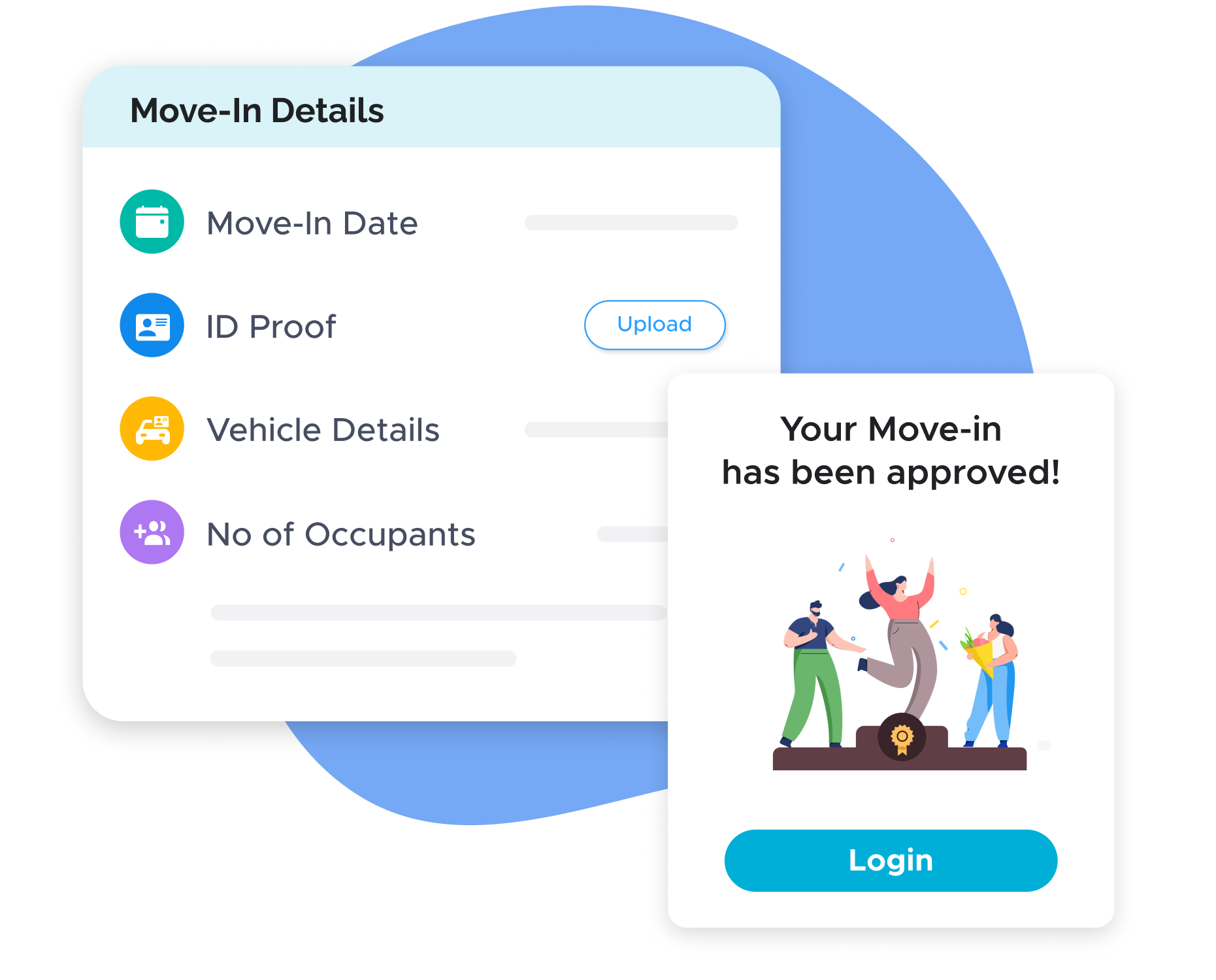
App-based move-in form mockup showing Move-In Details and approval

App-based move-in form — no office visit required

New owners and tenants complete the entire move-in process from the ADDA app — form submission, document upload, and status tracking. No in-person visit, no physical form, no email thread. The community management team reviews and approves from the admin portal. The entire process is digital, structured, and trackable from both sides.

  • Residents complete move-in formalities from anywhere — phone, tablet, or computer
  • Documents uploaded directly from the app — no scanning or emailing required
  • Status visible to the resident at every step — no need to call the office
  • Additional information can be requested and resubmitted within the same form
  • Approved move-ins automatically trigger app access for the new resident
In Practice

A family relocating from another city completes their move-in formalities from their current home two weeks before arrival. They fill the form, upload their ID and lease agreement, and receive approval within 48 hours. On move-in day, their ADDA app is already active — they can book the lift, log a helpdesk ticket, and receive the welcome announcement before they have even unpacked.

Configurable approvers and multi-level workflows

Not every community has the same approval structure. Some require only the estate manager's sign-off. Others require MC sign-off in addition. ADDA allows the admin to configure multiple approvers and set up multi-level approval workflows — each approver gets notified at their stage, reviews the submission, and passes it to the next level or closes it. The workflow is set once and applies consistently to every move-in.

Key Advantages
  • Multiple approvers can be configured — estate manager, moderator, MC member
  • Multi-level approval workflows for communities with layered governance
  • Each approver is notified at their stage — no manual escalation needed
  • All approver actions are logged with identity and timestamp
  • Workflow applies consistently to every move-in — no ad-hoc variations
In Practice

A large gated community configures a two-level workflow — the estate manager verifies documents at Level 1, and the MC secretary approves at Level 2. Every move-in goes through both stages automatically. No move-in is approved without both sign-offs, and the full approval log is preserved for audit.

Custom fields for community-specific requirements

Every community collects slightly different information during move-in. Some require pet registration. Some collect parking deposit details. Some ask for emergency contact information. ADDA allows the admin to add custom fields to the move-in form — any data the community specifically needs is captured in the same structured flow, not through a separate email or physical form.

Key Advantages
  • Add any custom field — text, dropdown, date, document upload
  • Custom fields appear in the same move-in form — single unified submission for the resident
  • All custom field data is stored centrally with the move-in record
  • Available for move-out forms as well — different custom requirements for each direction
  • No need for a separate paper form or email for community-specific information
In Practice

A community that requires pet registration as part of move-in adds a custom field — pet type, breed, and a photo. Every new resident who has a pet registers it during the move-in flow. The admin has a complete pet registry without ever having asked for it separately.

Move-in and move-out checklists for ground staff

Document approval is one part of the move-in process. The physical handover is another — lift booking, flat condition inspection, key handover, parking slot assignment, access card issuance. ADDA's checklist feature lets the admin configure a checklist for community staff covering every physical step. Each item is marked complete by the responsible staff member in the system. The move-in is not considered complete until every checklist item is closed.

Key Advantages
  • Configurable checklists for both move-in and move-out
  • Each checklist item assigned to the responsible staff member
  • Items marked complete in the system — no paper checklist that gets lost
  • Admin can see which items are pending and who is responsible
  • Prevents operational gaps from verbal handovers and forgotten steps
In Practice

A new family is moving in on a Saturday when the usual estate manager is off. The duty staff opens the move-in checklist on ADDA — lift blocked and confirmed, flat damage inspection done, keys handed over, parking slot assigned, access card issued. All five items are ticked off in the system. Monday morning the estate manager opens the record and sees a complete handover, without needing to call anyone.

Community guidelines acknowledgement on move-in

New residents are shown the community's published guidelines as part of the move-in form — rules around pets, noise, parking, move-in timing, lift usage, and any other policies the MC has configured. The resident acknowledges these guidelines before submitting the form. This acknowledgement is stored with the move-in record — a digital, timestamped record that the resident was informed of community rules before they began living there.

Key Advantages
  • Community guidelines shown to every new resident during move-in — not after
  • Resident acknowledgement stored with the move-in record — verifiable and timestamped
  • Replaces the manually signed community rules form — digital and centrally stored
  • Reduces first-month violations from residents who claim they were not informed
  • MC has evidence of disclosure if a violation dispute arises later
In Practice

Six months after moving in, a resident claims they were never told about the no-construction noise after 6 PM rule. The admin pulls up the move-in record — the guidelines were acknowledged on the day of submission, with a timestamp. The dispute is resolved without a meeting.

Digital occupancy records — owners, tenants, vacancies

The Move In/Out Tracker maintains a live, searchable record of every unit's occupancy status — approved owners, approved tenants, units with NOC initiated, and deactivated residents. This is the community's official occupancy record, always current, always accessible to the MC. No manual register. No spreadsheet. No calling the office to find out who lives in a specific flat.

Key Advantages
  • Live occupancy record for every unit in the community
  • Searchable by unit, resident name, or status
  • Automatically updated when move-ins are approved and move-outs are processed
  • Accessible to authorised MC members from the admin portal
  • Replaces manual registers and Excel sheets for occupancy tracking
In Practice

A new MC member takes over and needs to understand the community's current occupancy — how many units are owner-occupied, how many are rented, and how many are vacant. They open the Move In/Out Tracker and get the complete picture in under two minutes, without calling anyone or pulling physical files.

Reports that the MC actually uses

Reports management committees actually use

One tracker for every move-in and move-out — current, searchable, and audit-ready.

Move In/Out Tracker dashboard

The tracker shows a live list of every move-in and move-out application — pending review, approved, additional info requested, and closed. Each entry shows resident name, unit, submission date, and current status. Searchable, filterable, and exportable for the MC at any time.

Pending applications older than the configured threshold are visually flagged, so delays are visible to the MC without the resident having to chase.

What to watch for

Applications pending beyond 48 hours, units showing inconsistent occupancy vs. billing, and move-outs that have not closed their associated checklist items.

Occupancy records — owners, tenants, vacancies

A searchable, always-current record of every unit's status — approved owners, approved tenants, NOC initiated, and deactivated residents. This is the community's official occupancy record, accessible to authorised MC members without pulling physical files or asking the office.

From the field

What ADDA has observed about move-in and move-out across 25,000+ Communities

The scale of the problem

In most communities, move-in and move-out runs on physical forms, WhatsApp messages, and office visits — and the cost is paid daily by the management team.

Incomplete submissions, repeated follow-ups, documents that get lost, and a management team spending significant time on administrative back-and-forth for every single move-in and move-out. In communities with high tenant turnover, this is not an occasional inconvenience — it is a constant operational drain.

ADDA's Move In/Out Tracker digitises the entire process end to end, for both the resident and the admin, eliminating physical visits and paper documents without removing the community's ability to verify, approve, and maintain complete records.

Lesson 01

The biggest source of friction is not document collection — it is the back-and-forth that happens when something is missing.

When the form is paper and the back-and-forth is over WhatsApp or phone, every missing document becomes a multi-day exchange. When the form is digital and the request-for-information goes back through the same form, it becomes a single round trip that closes in hours.

Communities that move to digital see the median time from move-in submission to approval drop from days to under 48 hours — not because anyone is working faster, but because the cycle of follow-ups disappears.

Lesson 02

The most common reason an occupancy record goes stale is not a system failure — it is a move-out that never gets processed.

A tenant leaves. The estate manager is told verbally. Nobody opens the system to record it. The unit shows as occupied for weeks. Billing continues. The next dispute is inevitable.

The fix is to make move-out initiation the first thing that happens when the association is informed — and to require the checklist (dues clearance, access card return, damage inspection) to close before the unit is marked vacant. Once this becomes the SOP, the occupancy record stops going stale.

Operator's Playbook

How move-in and move-out actually runs on ADDA

Everything below is rendered as plain content — visible to residents, MC members, and AI search engines without any clicks.

What is move-in and move-out management in an apartment community?

When a new owner or tenant moves into a housing society, the community management team needs to collect identity documents, vehicle details, number of occupants, move-in date, and any applicable fees — verify all of it, approve the move-in, and then grant the resident access to the ADDA app so they can participate in community life. When a resident moves out, the process reverses — clearance needs to be confirmed, dues settled, documents returned, and the unit marked vacant in the system.

In most apartment communities today, this process runs on a combination of physical forms, WhatsApp messages, email threads, and in-person visits to the association office. The result is predictable: incomplete submissions, repeated follow-ups, documents that get lost, and a management team spending significant time on administrative back-and-forth for every single move-in and move-out.

In large communities with high tenant turnover — student housing, corporate staff housing, communities near tech parks — this is not an occasional inconvenience. It is a constant operational drain. ADDA's Move In/Out Tracker digitises the entire process end to end, for both the resident and the admin, eliminating physical visits and paper documents without removing the community's ability to verify, approve, and maintain complete records.

How does the move-in process work?

The process has two sides: the owner or tenant completing formalities, and the admin verifying and approving them.

Step 1 — Admin configures the workflow

The MC or estate manager goes to the Move In/Out Tracker in the ADDA ERP and enables the move-in flow. They set up approvers — individuals who are authorised to review and approve move-in submissions. These can be MC members, the estate manager, or a moderator. Multiple levels of approval can be configured if the community requires it. Custom fields are added for any information the community specifically needs — pet details, parking slot assignment, move-in deposit confirmation, society rules acknowledgement.

Step 2 — Owner or tenant fills the move-in form

The new resident downloads the ADDA app, creates an account, searches for their community, and fills in the move-in form — move-in date, ID proof upload, vehicle details, number of occupants, and any custom fields configured by the admin. They submit the form with documents attached — entirely from the app, without visiting the office.

Step 3 — Admin verifies and approves

The approver receives a notification that a new move-in has been submitted. They open the admin portal, review the submitted details and documents, and either approve the application or request additional information. If additional information is needed, the request goes back to the resident through the same form — no separate email chain, no phone call needed. Once all details are verified and the approver is satisfied, the move-in is approved.

Step 4 — Resident receives app access

On approval, the owner or tenant receives login credentials for the ADDA app. They are now an active resident in the system — visible in the resident directory, able to use the helpdesk, receive announcements, book amenities, and participate in community governance. Their unit is updated from vacant to occupied in the system.

Owner and tenant view

App-based move-in form. The entire move-in process is completed from the ADDA app — no office visit required. The form asks for standard information: move-in date, ID proof, vehicle details, number of occupants. Any custom fields configured by the admin appear in the same form. Documents are uploaded directly from the phone — a photo of the ID, a scanned copy of the lease agreement, or any other document the community requires.

Real-time status tracking. Once the form is submitted, the resident can track the status of their application from the app — submitted, under review, additional information requested, or approved. If the admin has requested additional documents, the resident sees a specific notification and can resubmit within the same form. No need to call the office or send an email to find out where the application stands.

Community guidelines on move-in. As part of the move-in flow, new residents are shown the community's guidelines — rules around pets, noise, parking, move-in timing, lift usage, waste disposal, and any other policies the MC has published. Residents acknowledge these guidelines during the move-in process, creating a record that they were informed before they began living in the community. This is the digital equivalent of the signed community rules form — but verifiable and stored centrally.

App access on approval. The moment the move-in is approved, the resident receives their ADDA app login. From that point, they have full access to everything the community runs on ADDA — announcements, helpdesk, facility booking, maintenance dues, voting, and gate management. The transition from new resident to active participant in community life happens in a single step.

Admin view

Move-in dashboard. The Move In/Out Tracker shows the admin a complete list of all move-in applications — pending review, approved, and those with additional information requested. Each application shows the resident's name, unit, submission date, and current status. The admin can search, filter, and sort across all applications.

Document verification. Each submitted application shows the resident's uploaded documents — ID proof, vehicle details, lease agreement, and any custom documents the community has configured. The admin reviews each document, can zoom into uploaded photos, and either approves or flags specific items for resubmission. The request-for-information flow goes directly to the resident through the app — the admin does not need to make a phone call or send a separate email.

Move-in checklists for community staff. Beyond the document verification flow, the admin can configure move-in checklists for the community's ground staff — the items that need to be physically checked and confirmed when a family arrives with their belongings. Lift booking confirmation, damage inspection of the flat before move-in, key handover, parking slot assignment, access card issuance. Each checklist item is marked complete by the staff member responsible for it. No item is missed because it was forgotten in a verbal handover.

Move-out handling. For move-outs, the admin configures a parallel flow — clearance from accounts confirming all dues are settled, return of access cards, parking slot deactivation, and a move-out checklist for ground staff covering damage inspection and asset return. The unit is marked vacant in the system only after all checklist items are closed. This ensures the community's records accurately reflect occupancy at all times.

Approved owners and tenants records. The Move In/Out Tracker maintains a searchable record of all approved owners, approved tenants, NOC initiated, and deactivated residents. This is the community's official occupancy record — accurate, current, and accessible to the MC without pulling physical files.


Common failure modes and how to fix them

Residents submitting incomplete move-in forms

The most common problem. A resident submits the form with one or two documents missing — either they did not have the document ready or they did not understand what was required.

Fix: Configure mandatory fields for every required document — the form cannot be submitted without them. For documents that some residents may genuinely not have at submission time (for example, a lease agreement that is still being signed), configure them as optional at submission but flag them as pending in the admin dashboard. The approver can request resubmission before the final approval is granted.

Move-in approved but physical checklist not completed

The admin approves the document verification, but the ground staff has not completed the physical handover steps — flat inspection, key handover, parking slot. The resident moves in but these steps happen informally or not at all.

Fix: Link the move-in completion status to the checklist — configure the system so that approval of documents and completion of the physical checklist are both required before the move-in is marked fully complete. The admin sees both statuses separately and can chase the relevant person for whichever is pending.

Move-out not processed in the system — unit still showing as occupied

A tenant moves out, but the move-out is never logged in the system. The unit remains showing as occupied for weeks or months. New dues are generated for a vacant unit. The occupancy record becomes inaccurate.

Fix: Create a standard move-out SOP — when a resident informs the association of their intention to move out, the estate manager initiates the move-out flow in the tracker immediately. Configure the move-out checklist so that clearing dues, returning access cards, and completing the damage inspection are all required before the unit is marked vacant. Make the move-out tracker the trigger for unit deactivation — not a manual update to a spreadsheet.

Long pending move-in applications — residents waiting for approval

A resident submits their move-in form, but the approver does not review it promptly. The resident follows up by phone. The admin is busy. Days pass. The resident is frustrated before they have even moved in.

Fix: Configure approval deadline notifications — the approver receives a reminder if a submitted application has not been reviewed within a specified number of days. The admin dashboard shows all pending applications with submission date and time elapsed. Applications pending beyond the threshold are flagged visually. This makes delays visible to the MC without requiring the resident to chase.

Admin and MC runbook

Before going live

  • Enable the move-in flow in the Move In/Out Tracker
  • Configure approvers and set up the approval workflow — at least one approver must be active before the flow is turned on
  • Add all mandatory fields — ID proof, vehicle details, number of occupants, move-in date
  • Add custom fields specific to the community — pet registration, parking deposit, emergency contact
  • Configure the move-in checklist for ground staff
  • Configure the move-out checklist — dues clearance, access card return, damage inspection
  • Publish community guidelines in the app so they appear in the move-in flow
  • Communicate to all brokers and property managers operating in the community that the digital move-in process is now mandatory — physical forms will no longer be accepted

Daily (estate manager)

  • Check Move In/Out Tracker for new submissions — approve or request additional information within 24 hours
  • Check move-in checklists for any items pending completion by ground staff

Weekly (MC or estate manager)

  • Review all applications pending beyond 48 hours — identify the bottleneck
  • Confirm that any move-outs from the previous week have been fully processed and units marked vacant
  • Check for any units where the occupancy record is inconsistent with billing — a unit showing vacant that is generating maintenance dues, or vice versa

Monthly

  • Export occupancy summary — approved owners, approved tenants, vacant units
  • Review custom field data for patterns — pet registrations, vehicle types, number of occupants per unit
  • Confirm all move-in checklists from the month are fully completed — no pending physical steps

Trusted across India's leading communities since 2009

Gartner — Category Leader
Capterra — Shortlist
ET Real Estate Awards — Best Housing Society ERP
Software Suggest — Best Support
Software Advice — FrontRunners
100%

Ad-Free, Always

Privacy

Focused by Design

4.7

App Store Rating

1,250+

Features Built-in

DPDP & ISO

Certified

16+

Years of Leadership

Let's Talk

Make every move-in and move-out paperless and structured

See how 25,000+ housing societies have replaced office visits and paper forms with a single digital flow.

Got questions?

Frequently Asked Questions