
The #1 Expense Management & Budget Control Software for Management Committees
Track every expense, manage budgets, keep financial records audit-ready — one complete ERP for treasurers.
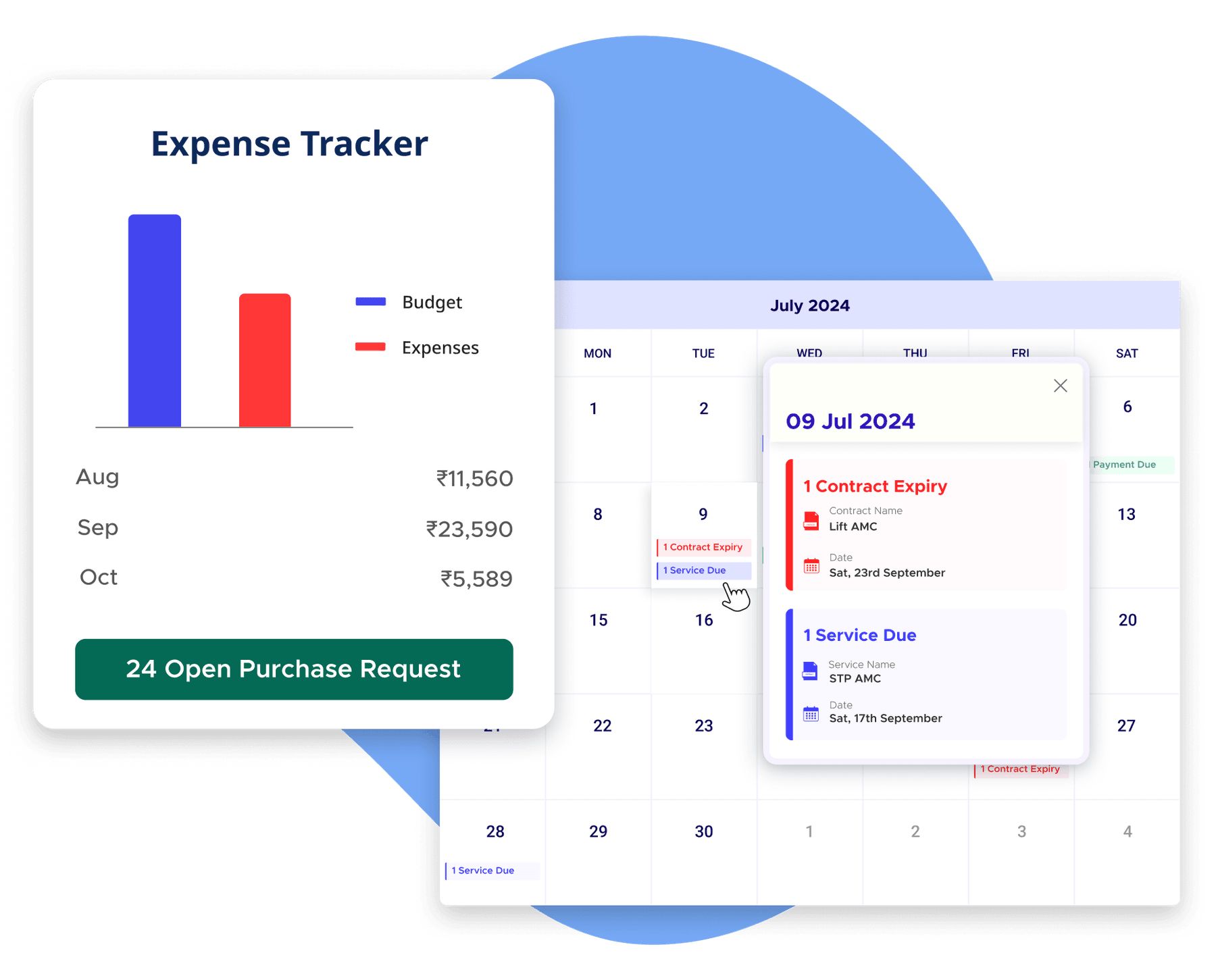
What are the benefits of online expense management for housing societies?
Structured approvals and budget controls prevent casual overspending before money is committed.
Fewer manual entries, auto-generated reports, and a clean audit trail cut down repetitive bookkeeping work.
Every invoice, approval, and payment is already documented — no last-minute scramble before year-end review.
From purchase request to final payment — every decision has an owner, a timestamp, and an approval trail.
How is ADDA different from other expense management tools?
| ADDA Expense Management | Generic Accounting Tools | Ad-supported ERPs | |
|---|---|---|---|
| Real-time expense visibility | Live dashboard Every expense visible the moment it's posted — no waiting for month-end accountant summaries. | Month-end only Treasurer depends on the accountant for updates; no live view between closing cycles. | Partial Basic transaction list; no category-level live dashboard for committee use. |
| Budget enforcement | Active controls Spending limits per expense head; system alerts or blocks PRs and invoices that breach approved limits. | None Budget lives in a separate spreadsheet with no link to actual expenses; overspends found only at month-end. | None Budget is reporting-only; no preventive control at the point of raising a payment. |
| Approval workflows | End-to-end PR → PO → invoice → payment — all routed inside one system with a visible, auditable trail. | Outside the system Approvals happen via paper, email, or WhatsApp; no trail inside the accounting tool. | Basic only Single-level approval available; no purchase request or PO flow before payment. |
| MC / Treasurer access | Direct & independent Treasurer logs in and sees live expense status — no dependency on the accountant to pull reports. | Accountant-gated All financial data runs through the accountant; MC has no independent visibility into current spending. | Summary only High-level dashboards available; detailed financial records require accountant intervention. |
| Audit readiness | Always ready Invoice, approval, PO, and payment records in one structured trail — pull any record instantly during audit. | Partial Journal entries logged but invoices, approvals, and purchase history scattered across files. | Partial Payment records available; PR/PO trail and supporting documents not connected. |

Features That Simplify Expense Management & Budget Control
Track expenses, control budgets, streamline approvals, and keep every financial record managed without spreadsheets or ad-supported app limitations.
Real-Time Expense Tracking
Management committees should not have to wait on accountant's reports to know where the society's money is being spent. ADDA gives treasurers, managers, and office admins one centralized expense tracker where every outgoing expense is recorded, categorised, and visible in real time.
- Track expenses across all major society expense heads
- Maintain vendor invoices, payment records, and receipts together
- Categorise every spend for clearer financial visibility
- Give authorised finance stakeholders live access to current expense data
Structured Purchase Request & Payment Approvals
Expense control should begin before the payment is made. ADDA gives management committees a structured workflow from purchase request to final payment approval, ensuring every major expense follows financial checks before money is committed.
- Raise and approve Purchase Requests inside the ERP
- Process Purchase Orders and vendor commitments through one workflow
- Validate goods or service receipt before payment posting
- Apply maker-checker approval controls for stronger financial discipline
Flexible Annual Budget Setup
Budgeting should not remain a once-a-year spreadsheet activity. ADDA allows communities to create planned annual budgets against every expense category and maintain a clear financial baseline for the full year.
- Set budgets separately for every expense head
- Upload budgets manually, through Excel, or by cloning previous year values
- Allocate spend across manpower, utilities, repairs, AMCs, and other categories
- Maintain reserve or contingency planning within the same budget structure
Live Budget vs Actual Tracking
A budget is only useful when committees can see how much has already been spent against it. ADDA gives management committees a live dashboard to monitor actual spend against approved budgets throughout the year.
- Compare the annual budgeted amount with actual expenses in real time
- Track available variance under each expense head
- Identify overspending before it becomes a year-end surprise
- Review category-level spend status without manual report compilation
Take Control of Every Rupee Going Out
Enforce budgets, streamline approvals, and keep every expense audit-ready.
Book a DemoBudget Visibility, Spending Limits & Auto Blocking
Budget reports alone do not prevent overspending. ADDA allows communities to actively enforce budget compliance at the exact point where money is being committed.
- Show total budget, spent amount, and remaining variance while raising PRs or posting invoices
- Configure spending limits for each expense head
- Trigger automatic alerts when expenses cross budget thresholds
- Block PRs or invoices from moving forward if they breach approved limits
AI powered Automatic Vendor Bill Capture
Manual bill entries and repeated PDF uploads consume unnecessary accountant time every month. ADDA simplifies expense processing by automatically capturing vendor invoice details and preparing expense entries inside the ERP.
- Fetch vendor bills directly into the system
- Auto-fill expense entry forms using invoice details
- Reduce repetitive manual bill entry work
- Keep review-and-post control with authorised admins before final booking
Expense Comparison Reports
Expense optimisation becomes difficult when committees cannot compare where money is going across categories. ADDA provides detailed comparison reports that make financial review easier and more data-driven.
- Compare spending across all major expense heads
- Identify categories with higher or lower cost movement
- Spot areas of hidden overspending or financial leakage
- Use historical expense records for smarter future planning
Year-on-Year Cost Trend Analysis
One year's expense summary alone does not reveal long-term spending patterns. ADDA helps management committees compare month-wise cost movement across financial years to understand how expenses are changing over time.
- Review year-on-year expense changes across categories
- Spot vendor cost creep and inflation-driven increases
- Identify areas where expense control has improved
- Use historical cost trends to plan the next financial year more accurately
Drill-Down Financial Reports & Audit-Ready Records
Management committees should not depend on manually prepared Excel summaries during reviews or audits. ADDA keeps every expense entry, invoice, approval, payment record, and budget commitment available in one structured financial trail.
- Access detailed expense reports directly from the ERP anytime
- Drill down by expense head, vendor, or selected time period
- Review budget, PR, PO, booked expense, and final variance in one view
- Keep the invoice, payment, and approval documentation audit-ready
Explore other features
Pioneering this segment since 2009


Ad-Free, Always
Act Certified
App Store Rating
Features Built-in
27001 Certified
Years of Leadership
What Communities Say
"It helps us clearly track our assets, liabilities, incomes, expenses and helps in providing complete transparency."
"The Expense Tracker has made it very easy to manage expenses efficiently and maintain better control over financial records."
"The financial module gives complex accounting reports as well as simple reports for a layman to understand."
Let's Talk
Book a personalised demo and see ADDA Expense Management & Budget Controls in action for your community.
Book a Demo